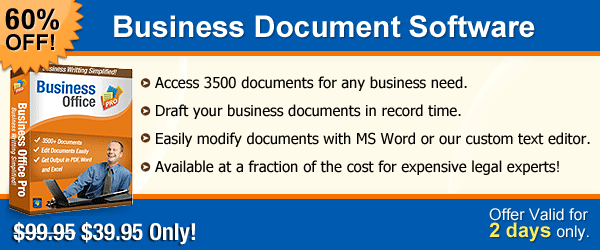
Access 3500+ documents for any business need - Business Office Pro

Business document handling is not an easy task, While writing some important business deals and if one ends up making mistake then it may lead to chaos. Business Office Pro avail complete solution for all your business related contracts and agreements, a software with more then 3500 ready legal and business documents and forms.
Draft a variety of business agreements with Business Office Pro in a record time.Find the best suited template from the our software library and design it as per your need and process it to the finalization.

Tuesday, 24 July 2012

Tips to Add Headings in Business Documents


Most of the people do not realize that headings are a vital part of writing business documents. Due to the busy schedule, the readers do not read all the documents. They decide by looking at the heading whether they will read the particular documents or not. So, heading is really crucial in the writing process. In this blog post, you will read some tips to add heading to your documents. The headings should be such that they grab the attention of the readers. They should be meaningful and easy to understand.

Adding Headings

  • The heading should be relevant to the business document itself. If it is misleading, it will lose its impact and will annoy the readers.
  • Headings should be short. They are just an introduction to business documents, so you need not tell a story in the heading. At some places, there is not enough space provided to add headings.
  • Use correct spellings of the words. Since heading may not be a complete sentence, grammar rules do not apply to it very strictly.
  • Be specific in what you want to say.
  • Check for hidden or double meanings of some words. Replace words having double meanings with other words.
What Should Be Written First – Heading or Content of the Document?

This is a difficult question. Sometimes, you have some idea or some issue to discuss. In that case, you write the content first and then give it a heading. Sometimes, you have a great heading in your mind and you write some content to match that heading. Anything can be written first, but both should match at the end.

Are Subheadings Important?

Subheadings are useful to be included in the business documents, when the documents are long enough. Adding subheadings help in the following way:

  • They make it easier to find precise information from within the entire document.
  • The readers can easily decide what part of the document is relevant to them.
  • The document looks visually appealing.
  • With subheadings, there is a flow in the entire document.

When you plan to write a business document, subheadings help you to decide what to write in what order.

Friday, 13 July 2012

Importance of Different Business Forms


Business forms are an important element in all types of business organizations, whether they are public or private. Both types of forms, manual and computerized, are used in the businesses to save and maintain important business data. It is essential to store complete data in the businesses, so as to conduct all the business processes properly and in a secure way. The forms used in the business to store data are the proofs of current status of that business. With the help of these forms, any data can be retrieved at any time for any type of analysis.

Talking of types of business forms, these include invoice forms, tax forms, statements, multi-purpose forms, purchase order forms and others. These forms can be manual or computerized, depending upon whether the organization is small or large, whether their operations are carried out manually or on computers, whether they have sufficient funds to utilize computers and other hardware to store business-related data. Manual forms are those which are printed on high-quality paper with proper formatting and excellent quality printing. On the other hand, computerized forms are those which are present on computers in MS Word format or PDF (Portable Document Format). Computerized forms are in trend these days, because they make the business processes quick and easy, and also appear professional.

Looking at the current trends, many websites provide business forms templates and the software to edit those templates, in order to help the businessmen create their forms easily. They provide different forms in different categories of businesses such as consultancy, stock marketing, information technology, real estate, health and medicine, etc. Legal forms, such as compensation, employment administration, copyright, health administration and occupational safety, are the additional forms that are needed by the businesses in many situations. These are also provided by the websites dealing in business documents and forms. Other than this, a collection of forms are available to do specific tasks… these forms include employment forms, venture capital forms, stock forms, legal documents, financial statement forms and others.

The software containing templates for all types of above discussed forms can be downloaded from internet. You can edit the templates and fill business related information to create your own business form.

Thursday, 5 July 2012

Writing a Business Document in a Professional Way


Most of the businessmen understand the significance of appearing professional in their presentations & making a good impression on the clients. However, they forget this fact whatever they write and provide to their prospective clients is also a part of their presentation. So, it is important for them to make each business document professional.

Here are the tips that can be applied to all types of business documents, ranging from simple like a quote to complex like a tender.
  1. Check Spelling & Grammar – When one uses MS Word or any other word processing application to write a document, he or she runs spell check and thinks that there are no errors. However, it is important to check spellings manually, because the word processor will accept both ‘quite tall’ and ‘quiet tall’.
  2. Accuracy – Make sure that whatever you write is 100 percent accurate. In case of any doubt regarding anything, it is better not to include that particular thing. Also, do not call the clients with the wrong name, and don’t misspell their name.
  3. Make sense – If the ideas and words of the writer are not clear, the reader will not be able to understand what is written in the business document. So, write only simple sentences and never include the information which is irrelevant. To check that whether your document makes sense or not, you should read it once.
  4. Be apt – Write keeping in mind the reader, and be specific about the information you give.
  5. Choose language understandable by the reader – Sometimes, the writer chooses difficult words and technical terms to show that he or she has a great vocabulary. However, it stops people understanding what is written in the document. Similarly, the writer may also use latest street language which may upset the conservative readers. The document must be written to suit the readers.
  6. It is not good to say bad things about your competitors… it looks unappealing and unprofessional.

These days, there is business document software such as Business Office Pro available in the market, which helps the writers to write different business documents easily by using pre-designed templates.

Monday, 25 June 2012

Business Document Templates Provide a Perfect Framework for Writing Business Documents


Those who find themselves in an unpleasant position of frequently having to keep aside the core competencies to complete repetitive duties such as writing business documents from beginning, they can consider the benefits provided by business document templates. The templates enable the individuals to write professional documents with no difficulty. These templates can be manipulated with the help of business document software, which contains all the editing tools to create and edit different documents. Those who are new to the business world, they can use templates for creating professional quality documents efficiently, easily and quickly. While those who are aware of how to create professional documents, they can use templates for saving their precious time.

Every businessman understands the significance of writing business documents such as agreements, contracts, press releases, legal forms and others, but having to write them each time is very frustrating. It is also costly in terms of time, because one has to take away much time from mission-critical tasks and waste that time in writing documents from scratch. The templates simplify the job by providing an outline for the documents needed in the businesses.

There are countless benefits provided by the templates for writing business documents. As discussed earlier, the businessmen would not have to spend many hours to write documents from the beginning. It will help to increase the productivity of the staff as their time will be saved. Furthermore, the templates will help even the non-writers to write impressive documents having professional look. One can create a business document any time easily and quickly. The businessman has to invest one-time money in buying business document software and then he / she can access any document template from the software to create any document. It will cut the costs greatly and will reduce the wastage of time.

Those who want to buy business documents software need to first check which programs are available. They need to compare the features of different products available. Fortunately, there is one better-known business document program named ‘Business Office Pro’ that contains templates for over 3500 different documents. These templates are ready to be used for creating professional documents, since they are written under the administration of industry experts. Further, the software can be run on all Windows operating systems and does not raise any compatibility issue even with Windows 7 and Vista. The provider of the software also offers a free trial version, so that the users get fully satisfied before paying money for it.  

Tuesday, 29 May 2012

Buy-Sell Agreement – The Most Significant Business Agreement


Today, I would be covering the topic buy-sell agreement through this blog post.

Buy-Sell Agreement is a kind of business agreement which is legally binding and tells what would happen if some specific eliciting event occurs. This event could be disability, retirement, resignation or death. The agreement suggests a business arrangement where one owner agrees to purchase the interest of another owner at some pre-determined price.

Benefits of Buy-Sell Agreement

A well funded and well drafted buy-sell business agreement is a key to good business strategy. It provides the following benefits to the businessmen:

  • It permits the business continuation in a manner which is agreed upon earlier by everybody.
  • The business owners can include the points regarding what would be done if an unexpected thing happens.
  • If the agreement is funded properly, it will provide all the necessary resources for the agreement.
  • It provides a fair price.

Drafting a buy-sell agreement

Buy-sell agreements are of different types – Cross Purchase Agreements, Entity Purchase Agreements, Trusted Cross Purchase Agreements, and Wait & See Agreements. You should consult tax advisors or legal advisors to settle upon the best agreement for particular situation. After that, you can download suitable business agreement template from the internet and create your agreement by taking help from the template and editing the necessary information as per your own business.

When drafting your buy-sell agreement, there are certain questions that need to be discussed. These questions include:

  • Whether the agreement should be made binding to only current owners or all owners for the whole business life?
  • What would happen if some event such as dismissal or resignation occurs?

To conclude, I would say that a buy-sell business agreement can prove to be an effective tool that allows for continuation of business even after some triggering event occurs. When this agreement is funded with LIC, in the event of owner’s death, it will provide survivor owners the amount necessary to meet the obligations of the agreement. The decision to employ this agreement is a kind of planning decision and should include the professional advisors and owners. 

Friday, 25 May 2012

Main Features of Business Office Pro


BOP provides hundred of business documents, forms and samples on your fingertips. Its a software with high quality unique features. It provides more than 3500 documents according to your business requirements. You can easily edit the documents in Word as per your need and save in Excel and PDF formats. All the documents provided by Business Office Pro are professionally written by lawyers, consultants and specialized professionals. All these documents are formatted in good format, you can easily find the documents by category or document name form software library.

Main features of BOP

Secure payments:- It has paymentech secured SSL connection which means that it is a completely protected website. We are offering this great software with 50% discount in just $99 with an option to upgrade one year in just $7.95 and life time up gradation in just %14.95.

100% Satisfaction Guarantee:- It provides 100% complete satisfaction guarantee on business document software.

No Spam policy:- It maintains no spam policy. Please don't share your information including Ids, Passwords, E-mails with anyone.

A software which helps you out from your entire business document related needs. Buy it Today!

No skills required to use BOP


Business Office Pro is business documentation software with amazing features. We provide thousands of business documents at your fingertips. You can easily edit documents in Word as per your requirement and save in Excel and PDF formats. It’s like having an office of experts on your desktop!

Now you don't need to have any comprehensive documentation knowledge, as we offer you a great software for all your business and legal document related needs. Anyone can use this software to easily and quickly to compile a business forms.

You can choose documents form thousands of readymade business document template prepared by professionals and experts. The documents are sorted according to documents type and categories in the software library.

Now, filling a document is not really difficult. BOP provides an auto fill features which helps you to fill your document with just one click. All you have to do is fill your information once in auto fill feature.

All the documents provided by BOP are professionally written by lawyers, specialized and consultants professionals. Documents are formatted with standard fonts and appearance to help you.

BOP save your time and money. This software is available with special offer for limited period visit Today!